
Product Overview
This document is intended for Hoenergy BMS (Battery Management System) upgrade and IP setting operation scenarios, and mainly includes two parts:
- BMS Upgrade (OTA): Perform firmware upgrade on the target BMS via TCP.
- SET IP (Set IP): After logging in, modify the IP address of the target BMS so that it can be connected via the new address.
Wiring and Terminals
The operations described in this document do not involve any new hardware wiring and only rely on the existing main interface connection. Before starting the upgrade, please confirm that the BMS main interface has been correctly connected to the upper computer.
Tip
If the main interface is already connected, please disconnect the main interface connection first before entering the upgrade process.
Communication
- Communication method: TCP (OTA upgrade).
- Communication prerequisite: The IP address in the interface needs to be modified to the current IP of the BMS to be upgraded.
- After the IP modification is complete, the interface will automatically connect to the target BMS.
Operation Steps
1. BMS Upgrade
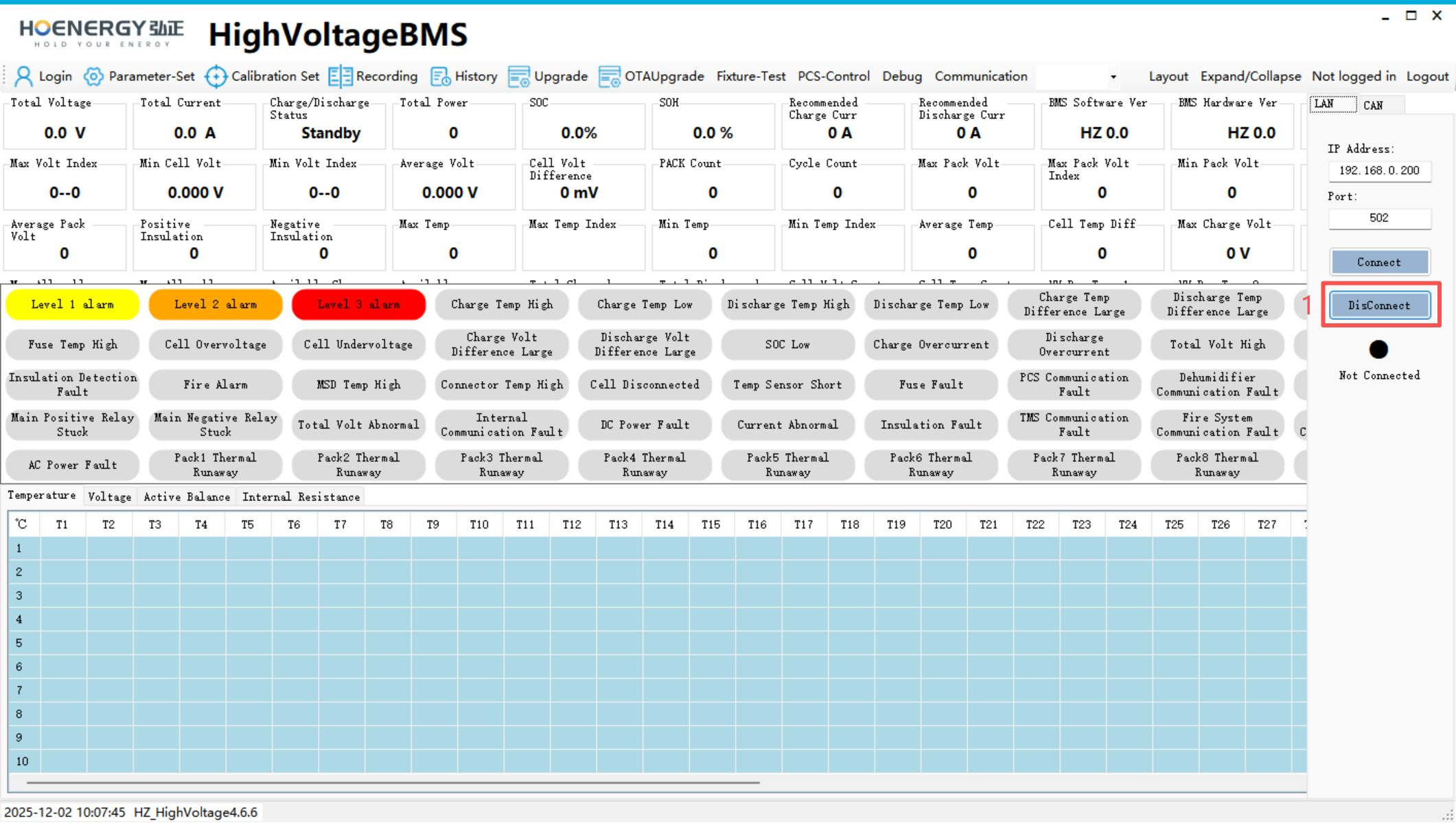
- If the main interface is already connected, please disconnect the main interface connection first.
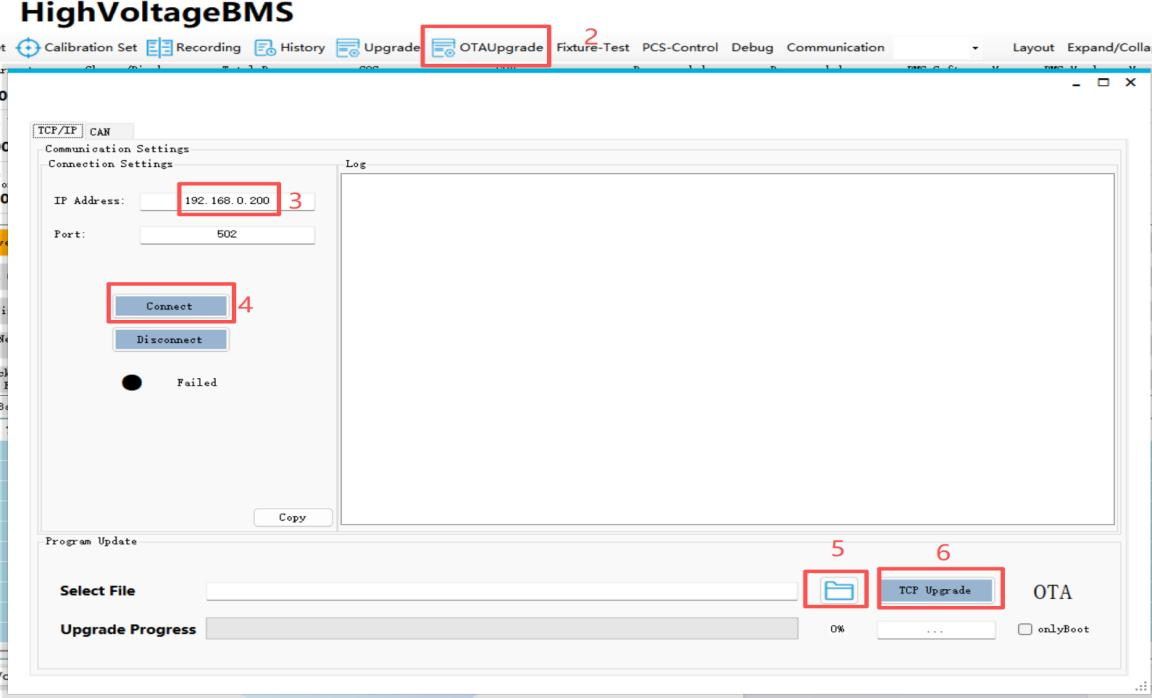
- Click the "OTA Upgrade" button.
- Modify the IP address to the current IP of the BMS to be upgraded.
- The interface will automatically connect to the target BMS.
- Select the firmware to be upgraded.
- Click the "TCPUPgrade" button to start the upgrade.
2. SET IP (Set IP)
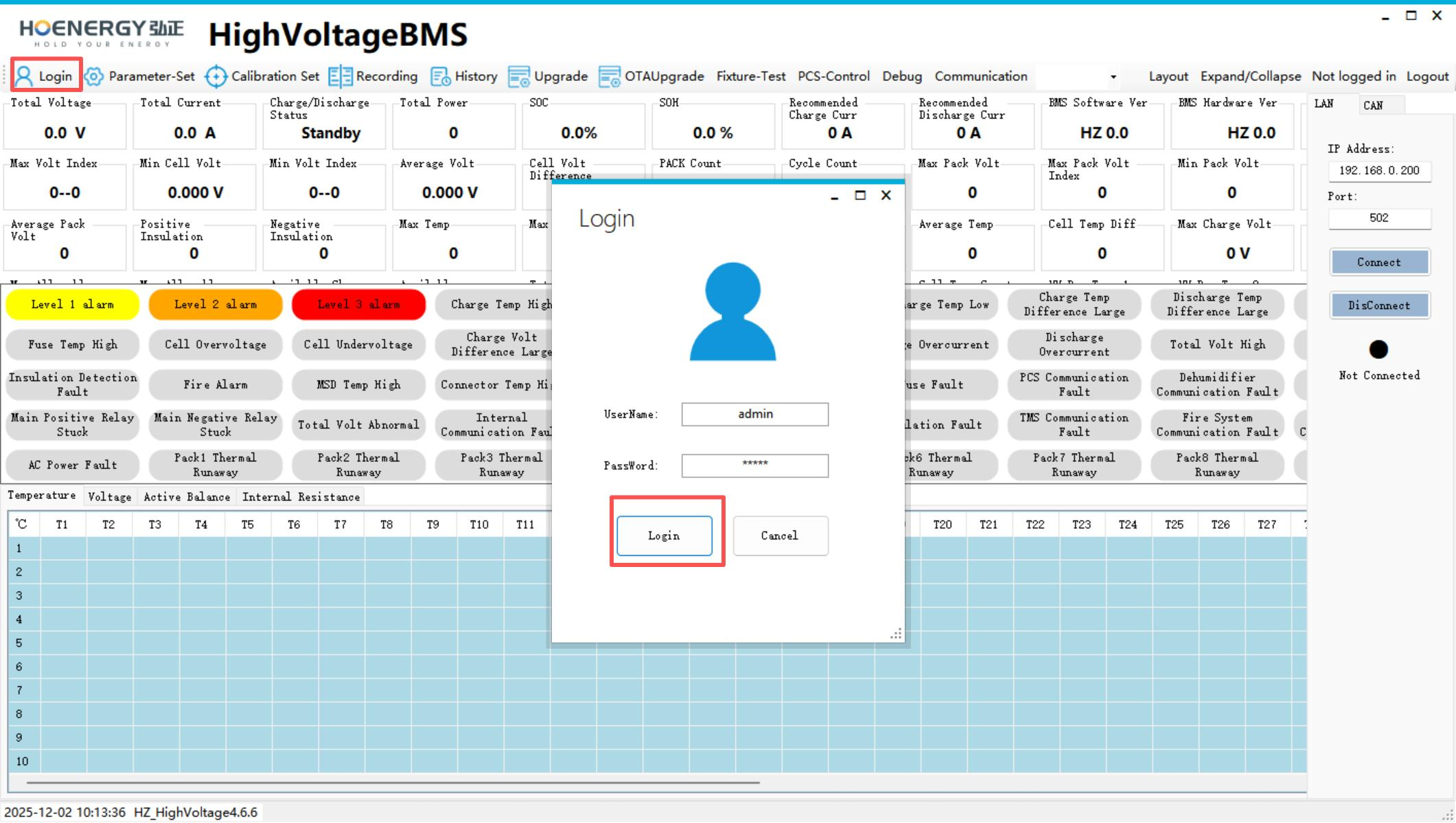
- Log in to the system.
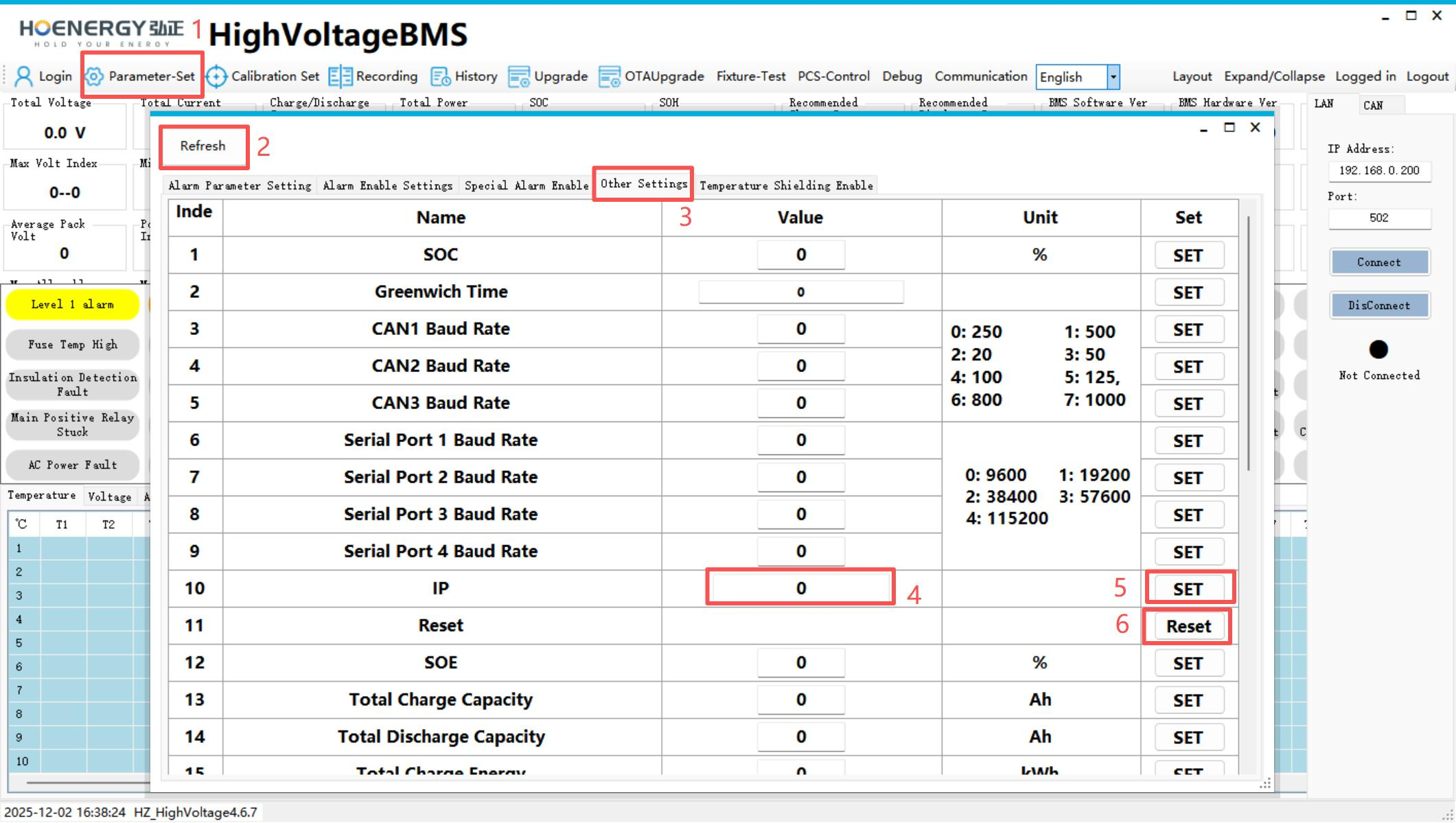
- Click the "Parameters-Set" button.
- Refresh the parameters of the current interface.
- Click the "OtherSettings" button.
- Modify the target IP address to be set.
- Click "SET" to apply the settings.
- Restart the BMS. The modification will take effect after the restart is complete, and the new IP address can be used for connection.
Precautions
Warning
- Do not power off or disconnect communication during the upgrade process, otherwise it may cause BMS firmware abnormality.
- The BMS must be restarted after modifying the IP for the new address to take effect. Please use the new IP to reconnect.
- Both the upgrade and SET IP operations are live commissioning operations and must be performed by personnel with corresponding qualifications.
Tip
- Before upgrading, please confirm that the selected firmware version matches the target BMS model.
- When setting the IP, it is recommended to record the IP addresses before and after modification to avoid being unable to connect due to forgetting.